TOM FRANCIS
REGRETS THIS ALREADY
Hello! I'm Tom. I'm a game designer, writer, and programmer on Gunpoint, Heat Signature, and Tactical Breach Wizards. Here's some more info on all the games I've worked on, here are the videos I make on YouTube, and here are two short stories I wrote for the Machine of Death collections.


Search
Tom’s Tstretch Timer
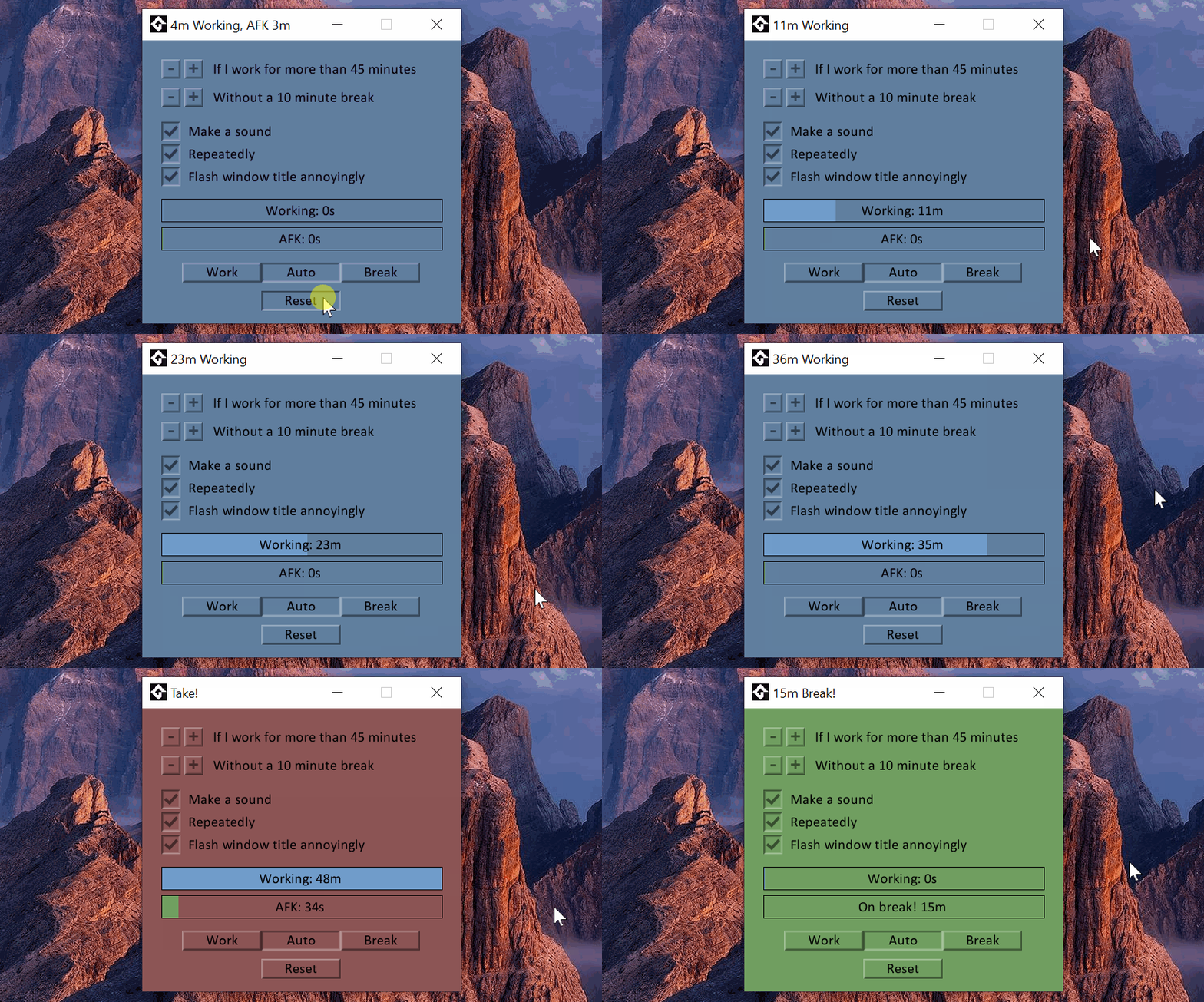
I could never find a work/break timer that worked quite how I wanted, so I made my own. Lately, though, I’ve had RSI issues, and now my focus is on just ensuring I don’t work too long without taking a break to stretch. My old timer half-worked for that, but to get really consistent, I needed something that:
- Tracked whether I was using my PC or not automatically, without needing to remember to press a button.
- Let me configure the maximum time I’m allowed to work, and how long I have to take a break before it counts as a break.
- When I overwork, nag me in (customisable) ways that are gentle enough I won’t just close the app, but persistent enough I won’t just ignore it.
- Met or exceeded the high standards of alliteration established by Tom’s Timer.
And so!
Tom’s Tstretch Timer
(Windows, 17MB, v1.6)
“Every moment of my life it haunts me. I work. I eat. I rest. I sleep. Still it persists. Tom’s Tstretch Timer 1.4.”
Victoria Tran, referring to a previous version.
“Repeatedly” means once a minute, and it stops nagging if you’ve been AFK 30 secs already. You don’t have to click Reset to resume working, that’s just for the GIF. You can force Work or Break mode with those buttons, but generally just leaving it in Auto mode is best.